If you've read the article on the TSP, you already know how to order deliveries to minimize distance. But in practice, your customers don't wait for you at any time. A wedding at 2pm, a business lunch at noon sharp, a doctor's office closed between 12:30 and 2pm. That's exactly what the VRPTW, the Vehicle Routing Problem with Time Windows, is for. It picks up where the TSP reaches its limits.
From TSP to VRPTW: the natural evolution
The TSP minimizes distance, period. It assumes every address is reachable at any time. A useful simplification to understand the problem, but it doesn't reflect your daily reality.
The VRPTW adds two essential ingredients:
- Multiple potential vehicles (the V in VRP): you may have 1, 2, 5 drivers in parallel
- Per-customer time windows (the TW in Time Windows): each address has an
[opening, closing]range
Suddenly, what was a pure geometry problem becomes a temporal problem. The optimal order is no longer just "shortest", it's "shortest that respects every slot".
A concrete example
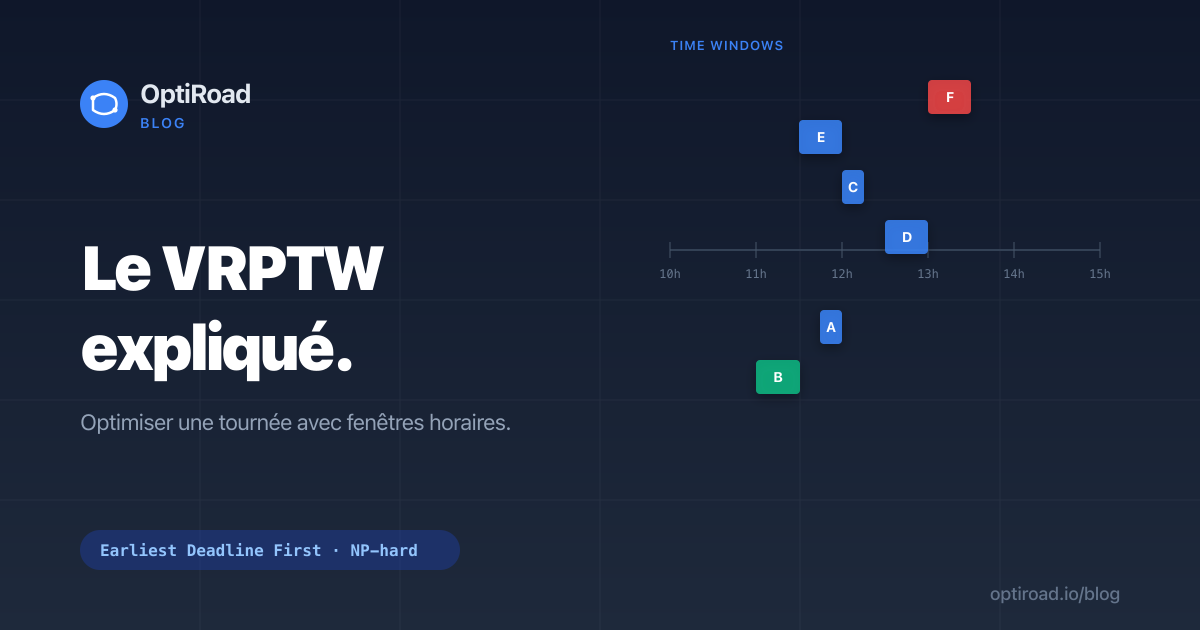
Picture a typical caterer's day: 6 deliveries to do, depot departure at 10am.
| Customer | Address | Window | Service time |
|---|---|---|---|
| A | République | 11:45 to 12:00 | 5 min |
| B | Bastille | 11:00 to 11:30 | 5 min |
| C | Châtelet | 12:00 to 12:15 | 5 min |
| D | Montparnasse | 12:30 to 13:00 | 5 min |
| E | Étoile | 11:30 to 12:00 | 5 min |
| F | Pigalle | 13:00 to 13:30 | 5 min |
The TSP might tell you: "visit A, B, C, D, E, F in this order, it's the shortest path". But if you arrive at A at 12:05 when you should have been there between 11:45 and 12:00, you're late. The customer is unhappy. You lose the contract.
The VRPTW finds an order that:
- Visits each address within its window
- Minimizes total distance and time among all feasible orders
- Warns you in advance if some windows are unreachable (in which case you need an extra vehicle or earlier start)
The EDF result on this example
OptiRoad sorts the stops by ascending closing time, then simulates the day starting from the 10:00 departure. The resulting order is: B (Bastille), then E (Étoile), A (République), C (Châtelet), D (Montparnasse), and finally F (Pigalle). Here is the detailed schedule you get on screen:
| Stop | Arrival | Service start | Departure |
|---|---|---|---|
| B | 10:18 | 11:00 | 11:05 |
| E | 11:25 | 11:30 | 11:35 |
| A | 11:50 | 11:50 | 11:55 |
| C | 12:05 | 12:05 | 12:10 |
| D | 12:30 | 12:30 | 12:35 |
| F | 13:00 | 13:00 | 13:05 |
At B you arrive very early (10:18): the vehicle waits until the window opens at 11:00, then delivers. Every window is respected from the first stop to the last. A pure "shortest distance" TSP order would never guarantee this result: it could send you to A or F at the wrong moment and blow several slots.
Why it's harder than the TSP
The TSP is already NP-hard (see the TSP article). The VRPTW is even harder because you must simulate the temporal flow of the route to validate each candidate solution:
- At each stop, compute the predicted arrival time
- If you arrive before opening, you wait (lost time)
- If you arrive after closing, the solution is invalid (rejected)
- Service time adds to the departure time toward the next stop
The solver can't just optimize raw distance. It has to build the detailed schedule for each tested order.
Hard window or soft window?
In theory, there are two families of time windows. A hard window must be respected: a solution that misses it is rejected outright, like a medical slot or a ceremony that simply won't move. A soft window tolerates lateness, but at the cost of a penalty the solver tries to minimize.
OptiRoad treats windows as hard when judging whether a route is feasible. The difference is that, rather than silently breaking a slot to save a few kilometres, OptiRoad flags the stop as late before you even leave. You decide: warn the customer, add a vehicle, or shift the start time. Note that the strict flag set on a window is semantic data shown in the planning (more advanced handling is coming later).
Approaches to solve the VRPTW
1. Earliest Deadline First (EDF)
At each step, pick the customer whose window closes earliest among those still reachable. Simple, fast, delivers excellent practical results. This is the approach OptiRoad uses.
2. Insertion heuristics
Start from an empty route, insert customers one by one looking for the position that minimizes total cost while respecting windows. Good quality, slower computation.
3. Metaheuristics (simulated annealing, tabu, genetic)
For very large instances (hundreds of stops, complex multi-vehicle). Yield near-optimal solutions but require compute time.
4. Constraint programming
Powerful academic approach but heavy to implement, reserved for specific cases.
Service time changes everything
It's easy to forget, but the time spent at each stop (the service time) pushes back every later arrival. Five minutes handing over a parcel, multiplied by fifteen deliveries, is more than an hour sliding across the whole day. Ignoring this time gives a plan that looks feasible on paper but runs late in reality.
So OptiRoad resolves the service time stop by stop, following a clear priority: the value set manually on the stop wins, otherwise the one from the matching contact in your address book (matched by coordinates), otherwise your account default (5 minutes). That way, every ETA already includes the time really spent on site, and the schedule reflects what happens in the field.
How OptiRoad implements the VRPTW
When you toggle "Time windows" in the dashboard (Pro or Business plan), here's what OptiRoad does:
- Sort customers by ascending window closing time (with special priority for stops marked
priority: high) - Build the route by EDF insertion: at each step, pick the next customer that respects the current window and minimizes the detour
- Schedule simulation: starting from the departure time, compute for each stop:
- predicted arrival time (taking distance into account)
- service start time (= max(arrival, opening))
- departure time (= start + serviceTime)
- Lateness detection: if predicted arrival exceeds closing, the stop is flagged
late: truein the response, you're warned before leaving - No 2-opt when VRPTW is active: EDF order takes precedence over distance optimization, to avoid breaking time constraints
The dashboard result: a clear summary table showing predicted arrival time at each customer, any delays in red, and the actual total day duration (including waiting times).
When to use VRPTW vs simple TSP
- TSP: classic delivery route without strong time constraints (e-commerce, mail, etc.). You arrive when you arrive.
- VRPTW: as soon as at least some customers have an imposed time slot. Caterers, florists (ceremonies), home care (medical slots), scheduled technical interventions.
OptiRoad automatically switches to VRPTW once you set at least one time window in your route.
What about multi-vehicle?
VRPTW can be combined with multi-vehicle: several drivers in parallel, each with their own optimized route. OptiRoad handles this on the Business plan using the Clarke-Wright Savings algorithm to split stops across vehicles, then EDF and simulation per vehicle. That's the topic of a future article.
In practice: what it changes for you
On a typical route with time windows (caterer deliveries, for example):
- Without VRPTW: 30 to 50% of deliveries risk being out of window, you call customers to reschedule, you stress.
- With VRPTW: 100% of deliveries within windows or pre-departure alert. The day unfolds as planned.
And when you know in advance that a delivery will be late, you can act: call the customer, add a vehicle, shift the start. Just knowing in advance is often worth more than the kilometres saved.
Going further
VRPTW is available on the Pro and Business plans. The Free plan includes simple TSP (without time windows), enough to validate the algorithm's quality on small routes. To enable time windows, upgrade to Pro and toggle "Time windows" in OptimizePanel.
Want to dig into multi-vehicle (VRP with Clarke-Wright Savings)? That's the next article.
Frequently asked questions
What happens if a window cannot be met?
The stop is flagged as late before departure, never discovered out on the road. You stay in control: warn the customer, add a vehicle to spread the load, or shift the start time so the slot becomes reachable again.
Can I mix stops with and without a window?
Yes. Stops without a window are bound by no specific hour: OptiRoad places them freely around the constrained ones, wherever they fit best without disturbing the imposed slots. So you don't have to set a window on every single delivery.
Does VRPTW handle several vehicles?
Yes, on the Business plan. OptiRoad first splits the stops across vehicles using the Clarke-Wright Savings algorithm, then applies EDF and schedule simulation to each route separately. Every driver thus gets their own optimized, window-aware itinerary.
Which plan includes time windows?
Time windows are available on the Pro and Business plans. The Free plan is limited to simple TSP, with no time constraint: perfect for testing the quality of the optimization on small routes, but not suited to businesses with imposed slots.